In an era where remote work and hybrid models are becoming the norm, a staggering 70% of professionals globally work remotely at least once a week, emphasizing the critical need for an adaptable and efficient workspace. While a powerful laptop is the cornerstone, transforming it into a fully functional, ergonomic mobile workstation requires a thoughtful selection of laptop accessories. The video above showcases an exemplary portable setup, detailing how a few key additions can elevate your productivity and comfort, whether you’re at a coffee shop, co-working space, or on the go.
Building Your Core: The Foundation of a Powerful Portable Setup
The journey to an optimized mobile workstation begins with a robust laptop capable of handling your demanding tasks. As highlighted in the video, a device like the Dell XPS 15 offers a potent combination for productivity users. Its i7 Kaby Lake CPU and GTX 1050 configuration exemplifies the type of processing and graphical power needed for intensive applications such as video editing.
Choosing the right display resolution also significantly impacts user experience and battery life. While 4K screens offer stunning pixel density, the practical advantages on a 15-inch display can be debatable for some users. Opting for a 1080p non-touch matte screen, as suggested, often reduces glare, consumes less power, and is more cost-effective. These savings can then be strategically re-invested into other essential laptop accessories that enhance overall productivity.
Optimizing Your Laptop for Peak Performance
Beyond the core specifications, several factors contribute to a laptop’s suitability for a mobile workstation. Battery life is paramount for remote work, ensuring you can operate effectively away from power outlets for extended periods. Connectivity, including an adequate number of USB-A and modern USB-C/Thunderbolt ports, is crucial for integrating external peripherals without relying heavily on adapters. Furthermore, the overall build quality and durability are vital for a device that will frequently travel.
Expand Your Horizons: Portable External Displays for Enhanced Productivity
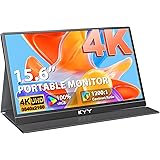
One of the most impactful upgrades for any laptop setup, especially for tasks like video editing, is incorporating a second display. Data consistently shows that multiple monitors can boost productivity by 20-30%, allowing users to spread out applications and reduce the time spent switching windows. A portable monitor, such as the Packed Pixels display mentioned in the video, offers this significant advantage without sacrificing mobility.
These compact screens provide invaluable extra screen real estate, turning a cramped 15-inch view into a more expansive and comfortable workspace. While the Packed Pixels unit utilizes high-quality display technology often found in tablets, understanding its connectivity requirements is essential. It relies on DisplayPort or older Thunderbolt connections, meaning newer laptops with USB-C ports may require an adapter, and HDMI-only outputs will not be compatible. When selecting a portable display, always check its input types and resolution to ensure seamless integration with your primary laptop.
Key Considerations for Portable Monitors
When investing in a portable monitor, several technical details merit attention. Look for displays with a bright panel and good color accuracy, especially if you’re involved in creative work. Connectivity is also critical; modern portable displays increasingly utilize USB-C for both power and video, simplifying cable management significantly. Additionally, consider the display’s finish – glossy screens, while vibrant, are prone to glare and fingerprints in varied lighting conditions, which can be a significant drawback in a mobile environment.
Prioritizing Comfort: Ergonomic Solutions for Long Work Sessions
Prolonged laptop use often leads to poor posture, manifesting as a hunched back and neck strain. Studies indicate that ergonomic interventions can reduce musculoskeletal discomfort by up to 60%. A simple yet effective solution, as demonstrated with the Nexstand laptop stand, elevates your laptop screen to eye level, mirroring the setup of a traditional desktop monitor. This adjustment can dramatically improve your posture and reduce physical strain during long work sessions, a cornerstone of an effective mobile workstation.
The Nexstand, a popular alternative to the original Roost design, provides multiple height levels and a stable platform. While it might have subtle differences in joint feel compared to its more expensive counterpart, its affordability and wide availability make it an excellent choice. When using any laptop stand, an external keyboard and mouse become indispensable, allowing your hands and wrists to remain in a neutral, comfortable position.
Selecting Ergonomic Peripherals
To complement your ergonomic setup, a quality wireless keyboard and mouse are essential laptop accessories. A Bluetooth keyboard, like the Logitech K810, offers multi-device connectivity, allowing seamless switching between your laptop and other devices. Its low-profile design and tactile keys are often preferred for sustained typing. For a mouse, while some users might prefer a dedicated USB dongle for latency, a Bluetooth mouse can offer similar performance without occupying valuable USB ports.
Immersive Focus: Audio Solutions for Distraction-Free Work
Working in varied environments often means contending with background noise, which can severely impact concentration. Noise-cancelling headphones are a vital tool for creating a personal quiet zone, enhancing focus and productivity. The Bose QC 25, an older but still effective model, exemplifies how active noise cancellation technology works to block out ambient sounds, from chatter in a coffee shop to engine hum on a plane.
Integrating an Airmode attachment for Bluetooth connectivity further streamlines the experience, eliminating the clutter of cables. While a wired connection via the 3.5mm jack remains a reliable option, wireless freedom offers greater flexibility and reduces entanglement in a portable setup. Modern noise-cancelling headphones often feature excellent battery life and comfortable designs suitable for extended wear, making them indispensable laptop accessories for the remote professional.
The Ultimate Carry-All: Organizing and Protecting Your Mobile Workstation
Having a collection of premium laptop accessories is only half the battle; transporting them safely and efficiently is equally important. A well-designed tech backpack, such as the eBags Professional Slim backpack, is crucial for protecting your investment and maintaining an organized mobile workstation. Its specialized compartments and padded sections ensure each item, from your laptop and portable display to smaller cables and chargers, has a designated secure place.
These backpacks are engineered for the modern professional, featuring dedicated laptop compartments, padded sleeves for secondary screens, and hard-shell sections for fragile items like chargers and mice. The strategic placement of pockets for keyboards, headphones, and laptop stands ensures everything is easily accessible yet securely stored. Investing in such a backpack not only protects your gear from damage but also significantly reduces setup and pack-up times, making your portable setup truly efficient.
Mastering Your Battlestation: A Q&A on Must-Have Accessories
What is a ‘mobile workstation’?
A mobile workstation is an optimized laptop setup, enhanced with accessories, designed to be powerful, ergonomic, and portable for working efficiently anywhere. It helps professionals maintain productivity in remote or hybrid work environments.
Why would I need a portable external display for my laptop?
A portable external display provides extra screen real estate, which can significantly boost your productivity by allowing you to spread out applications. This is especially useful for tasks like video editing or managing multiple windows.
How can I make my laptop more comfortable to use for long periods?
You can improve comfort by using an ergonomic laptop stand to raise your laptop screen to eye level. This helps improve your posture and reduces physical strain on your neck and back during long work sessions.
What type of bag should I use to carry my laptop and accessories?
A well-designed tech backpack with specialized padded compartments is crucial for safely transporting your laptop and accessories. It keeps everything organized and protected from damage while you’re on the go.